 Auscultify
The auscultation simulator that is open at 11pm the night before
Sim-lab mannequins are brilliant and booked solid. Auscultify puts the part that matters, real heart and lung sounds at the right sites with a map of where to listen, on your phone, so you can rehearse the exam as many times as you need.
Free to download · Pro includes a 7-day free trial · Cancel anytime
What a simulator needs to do, and what a phone can do
A physical auscultation simulator does three things: plays a sound at a site, lets you choose where to listen, and lets you repeat it. Two of those are the whole skill.
Play real sounds at the right site
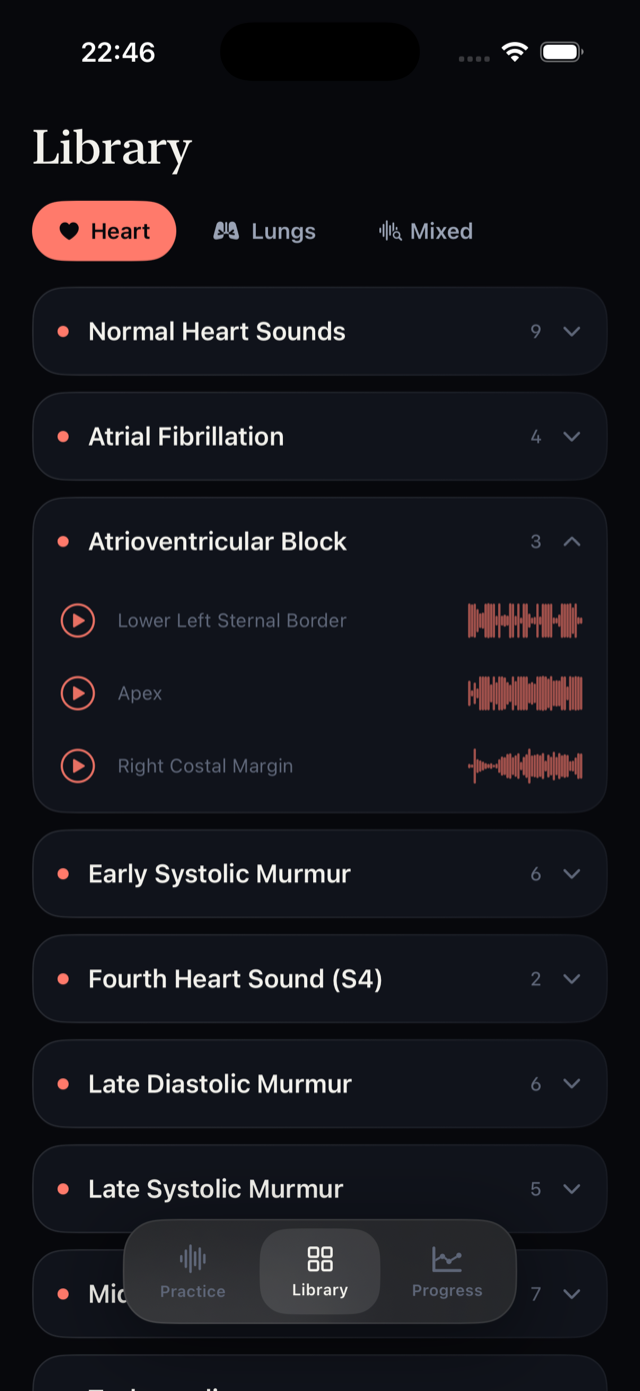
Every Auscultify recording is tagged with the site it was captured at, so aortic stenosis sounds the way it does at the 2nd right ICS and mitral stenosis the way it does at the apex. Many mannequins use synthesized loops; these are real patients.
Choose where to listen
Landmarks mode puts a chest-wall map in front of you: aortic, pulmonic, lower left sternal border, apex, costal margins, six lung fields. Where should you listen for this? What should you hear here?
Repeat until it sticks
A sim lab gives you one booked hour. The app gives you unlimited sessions with spaced repetition that brings back the sounds you miss. That repetition is what builds the ear.
Phone simulator vs sim-lab mannequin vs real patients
| Auscultify | Sim-lab mannequin | Real patients | |
|---|---|---|---|
| Real patient recordings | ✓ | Often synthesized | ✓ |
| Choose the auscultation site | Chest-wall map | ✓ | ✓ |
| Hands-on stethoscope technique | — | ✓ | ✓ |
| Rare findings on demand | ✓ | If programmed | Rarely |
| Unlimited repetition | ✓ | Booked hours | — |
| Instant feedback and scoring | ✓ | Instructor dependent | Attending dependent |
| Spectrogram of the sound | Pro | Some models | — |
| Available at 11pm | ✓ | — | — |
| Cost to you | Free, Pro trial | Institutional | Free, but random |
Use all three. The app builds the recognition; the mannequin and real patients build the hands. Recognition is the half that takes longest, and the half you can do alone.
See the sound you are simulating
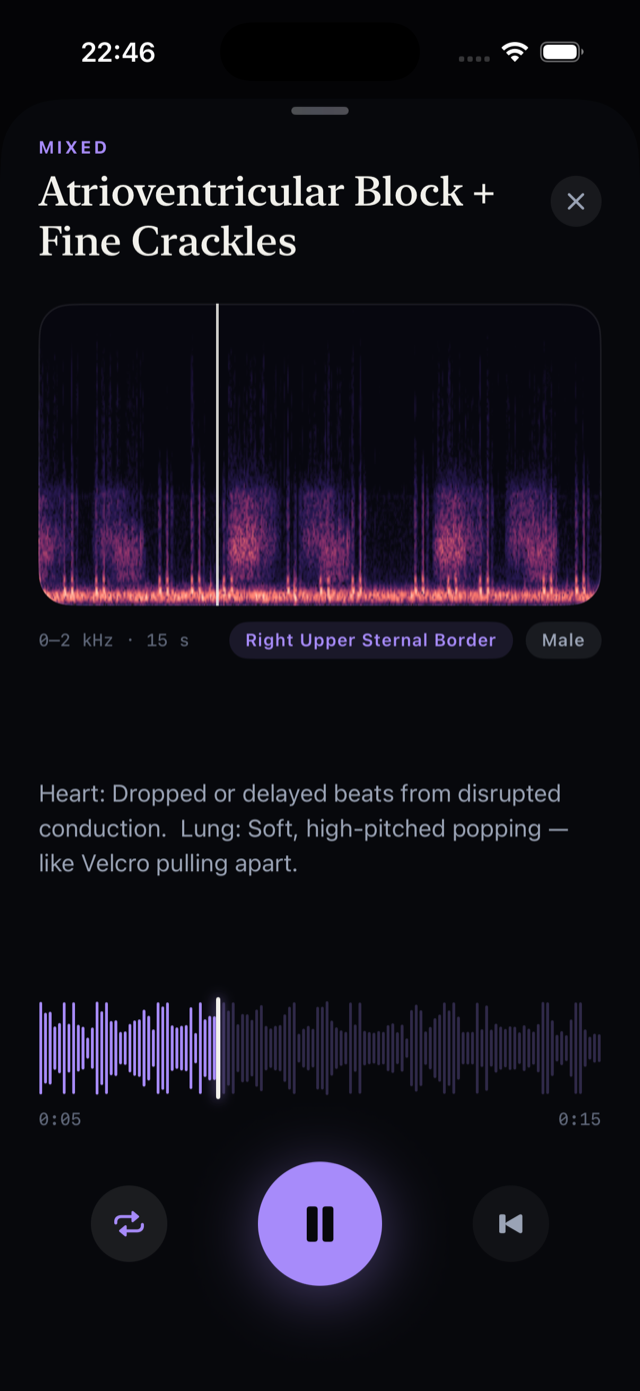
Pro adds a spectrogram and waveform synced to every recording. You watch the diamond of aortic stenosis, the decrescendo of aortic regurgitation and the bursts of fine crackles while you hear them, which is the fastest way to lock in what the ear is supposed to be catching.
Decomposition mode takes mixed heart-and-lung recordings and trains you to separate them, which no mannequin does and every real chest demands.
- Spectrogram and waveform synced to audio
- Mixed heart-and-lung decomposition
- Source check: heart or lungs?
- Per-mode accuracy trends
Who uses it as a simulator
Students before OSCEs
Rehearse the cardiac and respiratory stations: where to put the stethoscope, what to say you hear, in what order. OSCE cardiac station →
Programs without enough sim time
Nursing, PA and medical programs where the mannequin is shared by a cohort of two hundred. Assign the app for recognition; spend sim hours on technique.
Clinicians refreshing
Returning to practice, changing specialty, or just honest about having not heard an opening snap since school.
Related
Frequently asked questions
Is there an auscultation simulator app?
Yes. Auscultify works as an auscultation simulator on iPhone and iPad: 200+ real heart and lung recordings tagged by site, an interactive chest-wall landmark map, spectrograms, and quiz modes with instant feedback. It is free to download.
Can an app replace a sim-lab mannequin?
For recognition, yes, and it is better at it because the recordings are real and the repetition is unlimited. For hands-on stethoscope technique, no; use the mannequin and real patients for that. The two halves of the skill are learned separately.
Does it include lung sounds?
Yes. Crackles, wheezes, rhonchi, pleural rub and normal breath sounds across six lung fields, plus mixed heart-and-lung recordings and a decomposition mode to separate them.
Does it simulate different auscultation sites?
Yes. Recordings are tagged with the real site they were captured at, and Landmarks mode (Pro) drills all 12 sites on an interactive chest-wall map: where to listen for a given finding and what to expect at a given site.
Is Auscultify free?
Free to download with daily practice at no cost. Pro adds spectrogram training, decomposition, landmark drills and unlimited sessions, with a 7-day free trial. Cancel anytime.
Can a school or program use it for a cohort?
Yes. Students download it individually from the App Store. Programs that want to discuss group use can contact support@auscultify.ai.
The sim lab is booked.
Your phone is not.
Real recordings, a chest-wall map and unlimited repetition. Free to download, Pro trial included.
Download Auscultify on the App StoreFree to download · 7-day Pro trial · Cancel anytime